
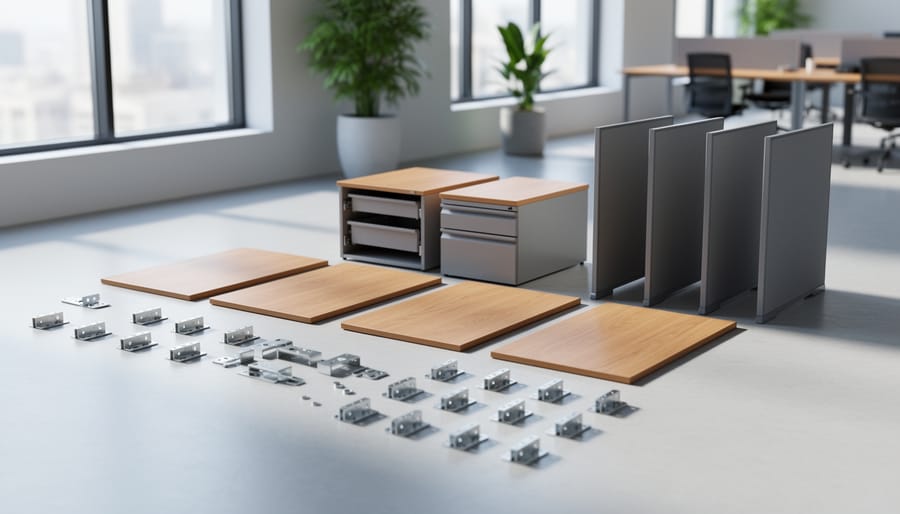
Modular office furniture works like building blocks: standardized desks, panels, storage units, and connectors lock together so you can configure a workspace for one person or a whole team, then reconfigure it later without starting over. The right pick depends on the job. Workstations suit teams, modular desks suit home offices, storage keeps clutter in check, and good seating protects comfort over long days.
In the interest of transparency, we earn a commission on some purchases made through links on this site. As an Amazon Associate I earn from qualifying purchases.
That flexibility is the whole appeal. A modular setup grows with you, and a single damaged piece can be repaired or swapped instead of replacing the entire layout. Our team sees this often at Vital Turnaround Furniture Works, where a well-made modular piece with a scuffed surface or a loose joint is usually a candidate for restoration, not the landfill.
Options cover a wide range. At one end, the Modular Office Cubicle Desk Workstation in Wood (A-Left and the Office Cubicle Desk,4 Person Office Cubicle Workstation Desk with panels give shared spaces defined stations. For solo setups, the Martha Stewart Kayden Modular 2 Drawer Desk and the Modern Office Workstation Desk pair well with the Global Total Office Concorde 24 Hour High-Back Chair Fabric Color for all-day support.
Below, you’ll see how the components and connectors fit together, what to weigh before buying, and which mistakes to avoid.
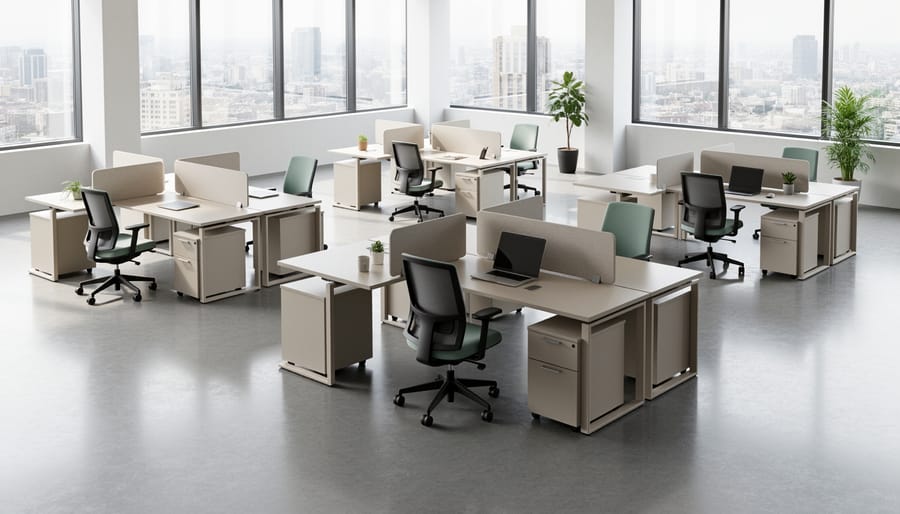
Modular office furniture works like a set of building blocks. Instead of one fixed piece, you get standalone components that you arrange, add to, and rearrange as your team or space changes. The components are the main parts: desk surfaces, privacy panels, side storage, pedestals (the small drawer units that sit under or beside a desk), and chairs. Best Buy describes its modular selection as offering endless possibilities for customization and organization, and that flexibility comes from how cleanly the pieces can be combined.
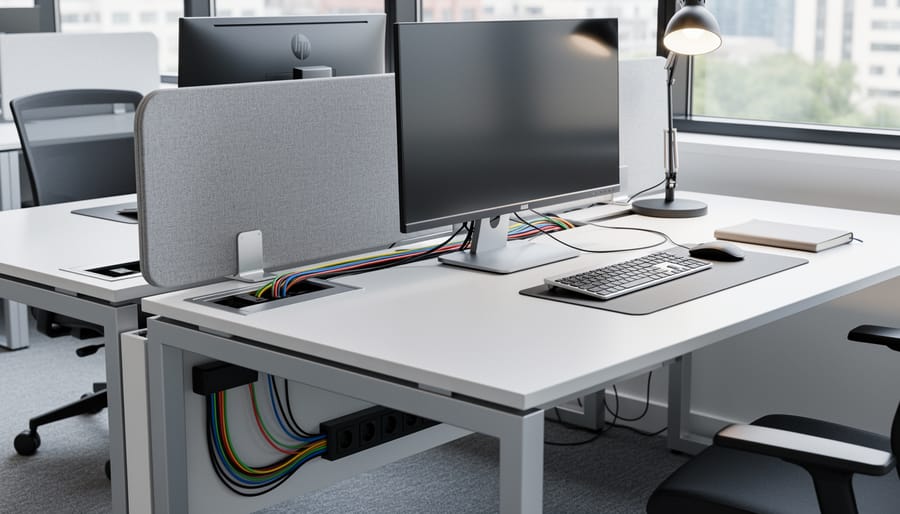
The pieces only act as one system because of the connectors. A connector is any hardware that joins one component to another or holds a single component together. Common ones include brackets (metal L-shapes or plates that tie a panel to a desk), bolts and screws, cam locks (small round fasteners that tighten when you turn them a quarter turn), panel clips that snap screens together, and cable passthroughs, the openings or grommets that let power and data cords travel between pieces without tangling.
Here’s the part many buyers overlook: connectors are where wear and wobble most often show up. A desk surface or storage unit may look sturdy for years, but the small points where parts meet take the daily stress. Every time someone leans on a panel, slides a pedestal, or reconfigures a layout, those joints flex a little. Over time, screws loosen, bolt holes widen, and clips lose their grip.
If you’ve ever repaired a kitchen unit, this will sound familiar. The same logic applies to cabinet parts where hinges, brackets, and fasteners usually fail well before the boxes and panels do. Office systems behave the same way.
That’s good news for buyers. When a modular piece starts to feel loose, the fix is often a small, targeted repair at the joint rather than replacing the whole workstation. Keep that in mind as you weigh options, because connector quality and ease of reassembly matter just as much as the look of the surfaces.
Choosing modular pieces is easier when you compare them against a short, consistent set of criteria. Think of these as questions you put to every product page and every showroom visit.
A few of these deserve a closer look. Connector quality tells you the most about how a system will age. Metal-to-metal joints with proper hardware generally stay tight longer than thin cam locks pressed into particleboard. If a wobble does develop, it’s often a fixable problem, and learning a bit about repairing wood around loose fasteners can save a piece from the curb.
Finish matters just as much as structure. Laminate, veneer, and painted metal each wear differently, and a chipped edge near a connector can let moisture in and loosen the joint over time. Knowing what finish restoration involves helps you judge which surfaces are worth buying and which will be tough to touch up later.
Then there’s the cost side of installation and electrical work. Cubicle By Design notes that installation, electrical, freight, and future layout changes can all shift the total project cost, so ask for those line items up front instead of comparing sticker prices alone.
One practical tip: score each option against this list on paper. It keeps a handsome showroom display from outweighing the boring details that decide whether a setup still works well in five years.
Not every modular piece does the same job, so it helps to compare the four main categories side by side before you commit to a layout. Each one connects differently, and that changes how easy it is to reconfigure later.
| Furniture Type | Best For | How Pieces Connect | Key Consideration |
|---|---|---|---|
| Multi-person workstations | Commercial offices, shared team areas | Panel clips, brackets, and shared worksurface joints | Plan for cable runs and future expansion |
| Single modular desks | Home offices, small spaces | Bolts, cam locks, and add-on return or drawer units | Check that add-ons match the same system |
| Ergonomic seating | Any office with long working hours | Standalone, no connectors needed | Adjustability and upholstery durability |
| Freestanding or stackable storage | Shared offices, home offices, warehouses | Stacking pins, wall anchors, or simple placement | Shelf strength and secure locking options |
Multi-person workstations are the heart of most commercial setups. Desk surfaces, privacy panels, and side storage lock together into a single run, which makes them efficient for teams. The tradeoff is that one loose connector can make a whole row feel unsteady, so it pays to check joints during assembly and again a few months in. Best Buy notes that its modular selection offers plenty of room for customization, and that flexibility is the real appeal here, since you can add an extension for another person later.
Single modular desks suit home offices better. They take up less room, go together with fewer parts, and can grow with a drawer unit or a return when your needs change. Because there’s less hardware, they’re also simpler to tighten and maintain.
Seating is the odd one out. A good ergonomic chair doesn’t join to anything, yet it affects daily comfort more than almost any other piece. Fabric and leather seats see constant wear, so it’s worth knowing in advance what upholstery repair costs look like if a favorite chair starts to show its age.
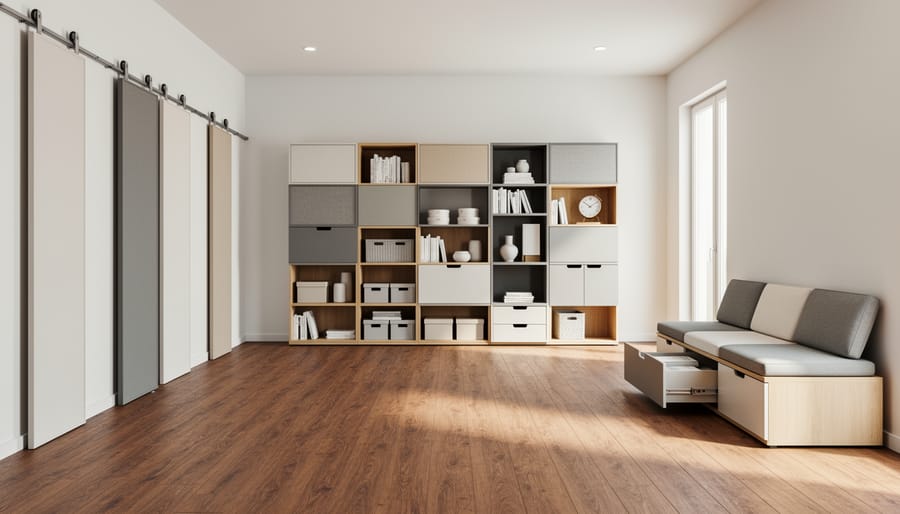
Storage rounds things out. Freestanding or stackable units can be rearranged in minutes, which makes them a smart match for spaces that change often. In a shared office, choose units with locks. At home, prioritize adjustable shelves so the cabinet can adapt to whatever you need to keep.
Sticker price is only the starting point with modular office furniture. What you actually spend depends on how many seats you’re building, how the pieces ship, and whether your layout stays put.
Cubicle By Design says basic modular workstations often start around $400 to $800, while commercial office systems usually land in the $900 to $2,500+ per seat range. Best Buy’s listings give two concrete retail examples that sit close to the lower end of that spectrum.
| Source | Item or category | Price or range |
|---|---|---|
| Cubicle By Design | Basic modular workstations | Often start around $400 to $800 |
| Cubicle By Design | Commercial office systems | $900 to $2,500+ per seat |
| Best Buy | Five-piece modular computer workstation set | $732.30 |
| Best Buy | Acanva modular computer office desk for 4 people | $499.00 |
| Cost factors | Installation, electrical, freight, future layout changes | Can shift the total project cost |
Read the table as a map of where money goes, not a quote. The two Best Buy examples show how a home office or small team can get a complete setup without a commercial-grade budget. The per-seat range is what you’d expect when you move into full commercial systems, where panels, storage and hardware add up quickly.
The last row matters most. Cubicle By Design notes that installation, electrical, freight and future layout changes can all move your final number. A desk that looks like a bargain can cost more once you add delivery for large flat-pack boxes, an electrician to wire power through the panels, or labor to assemble a multi-seat run. Planning to reconfigure the layout later? Budget for that now, because every move means taking connectors apart and putting them back together.
There’s also the cost of keeping what you buy looking good. Seating is where this shows up first. If you pick leather chairs, it’s smart to learn about leather restoration before scuffs set in, and to know what leather repair kits can handle on their own. Small repairs done early are far cheaper than replacing a chair.

The Modular Office Cubicle Desk Workstation in Wood (A-Left, 2 P-A) is built around a left-facing “A” configuration for two people. Each station gets its own wood-finish work surface, and the pieces join into one continuous layout rather than two separate desks. That makes it a natural fit for small teams and shared spaces where you want defined personal areas without a lot of floor space.
Customers rate it 4.3 out of 5, and it’s currently in stock.
As with any modular system, the connection points deserve a close look during assembly. Check that each bracket and fastener seats snugly, and snug them again after the first few weeks of use, since new joints tend to settle. Loose connectors are where wobble starts, and catching them early is far easier than fixing a stripped hole later.
Wood finishes reward gentle habits. Wipe surfaces with a slightly damp, soft cloth and dry them right away. Use coasters under hot or sweating cups, and keep monitor stands or heavy equipment on felt pads to prevent scratches. Skip harsh solvents, which can dull the finish over time. If a corner chips or an edge starts to lift, a prompt touch-up keeps a small flaw from spreading.

The Office Cubicle Desk, 4 Person Office Cubicle Workstation Desk with Mute Privacy Panels and Cable Management is built for shared, high-activity spaces. It comes in a white-and-black finish and runs 94.5 inches long, so it suits commercial offices and call-center layouts where several people work side by side.
Its privacy panels are designed to soften noise and visual distraction between seats, which matters when headsets and phone calls overlap. Built-in cable management keeps power and data lines tucked away instead of snaking across the floor, a simple feature that makes a crowded workstation safer and easier to keep tidy.
Customers have rated it 5 out of 5 from 2 customer ratings, and it’s currently in stock, so it’s a practical option if you’re furnishing a team area without a long wait.
During assembly, give the connectors your full attention. Check that every bracket sits flush against the panel or desk surface, and that bolts are snug but not overtightened, since forcing them can strip the screw holes. Recheck the joints after the first week of use, because early settling is when a connector loosens. A few minutes of tightening at that stage helps keep the whole run stable for years.

The Global Total Office Concorde 24 Hour High-Back Chair in black contract leather is our seating pick, and the name tells you what it’s built for: long stretches at a desk. The high back supports your upper body through a full day, which matters most when a team shares a modular workstation and chairs get constant use. Customers rate it 4.3 out of 5, and it’s currently in stock.
It also pairs naturally with modular desks. Because modular layouts get reshuffled, a plain black leather finish blends with wood, white, or glass surfaces, so you can rearrange desks and panels without the chair clashing. Whatever configuration you land on, the seat stays put as a steady, familiar anchor.
Leather is also easy to live with. Wipe it down regularly with a soft, slightly damp cloth, and avoid harsh cleaners that dry out the surface. A gentle leather conditioner every few months helps prevent cracking and fading, especially in busy offices where chairs get daily wear. Check the armrest joints and base now and then, too. Catching a loose fitting early is far easier than repairing a wobbly chair later.

The Martha Stewart Kayden Modular 2 Drawer Desk in Light Natural is the pick for anyone working with a smaller footprint. Its light natural finish keeps a compact room feeling open, and the two drawers handle everyday essentials like notebooks, chargers, and files without needing a separate pedestal. That makes it a sensible fit for a spare bedroom, a living-room corner, or a shared flex space where you want a workstation that doesn’t dominate the room.
The modular design is the real draw. Because the desk is built from interchangeable components, you can set it up to suit the room today and rearrange it later if your layout or needs change. Think of it as a starting point rather than a fixed piece. If you add shelving or storage down the road, you’re building on what you already have instead of starting over.
Customers rate it 4.1 out of 5 based on 16 customer ratings, and it’s currently in stock.
A light finish shows wear more readily, so a little routine care goes a long way. Wipe the surface with a soft, slightly damp cloth, dry it right away, and use coasters under drinks. Check the connection points now and then and snug up any hardware that has loosened, since that’s where wobble tends to start.

The 72″ metal storage cabinet earns its spot because it solves a problem every shared workspace runs into: where do supplies, tools, and files go when the desks are full? It’s a tall, black steel cabinet with doors and shelves, and it’s sold for garages, offices, and homes alike, so it adapts as your space changes.
The shelving is adjustable, which is the real modular advantage here. You can set a tall shelf for binders or boxed supplies, then drop the spacing later when your needs shift. No tools or rebuilds are involved in that kind of flexibility, just a reset of the interior.
The lock matters more than it sounds. In a shared workspace, a lockable cabinet keeps equipment, spare keys, and sensitive paperwork out of casual reach, and it keeps clutter behind closed doors instead of on the desks you’ve worked so hard to organize.
Buyers have responded well, with a 4.5 out of 5 rating from 104 customer ratings, and it’s currently in stock. One care tip: check the door hinges and the lock now and then, since those are the parts that see daily use.

The Vyre 71″ Tall Farmhouse Bookshelves come as a set of three modular bookcases, each with drawers and adjustable shelves. That “set of three” detail matters for flexibility. You can line the units up as one long wall of storage, split them between two rooms, or stagger them to fit around a window or doorway.
The adjustable shelves let you tailor each opening to what you actually keep, from binders and reference books to baskets and printer supplies. The drawers handle the small stuff that otherwise clutters a desk, like cables, notepads, and chargers.
Its white finish keeps things bright and works as well in a living room or kitchen as in a home office, which suits anyone who wants storage that doesn’t scream “workspace.” It’s a good fit for small teams or solo workers who share space with family life.
Customers rate it 4.7 out of 5 from 23 customer ratings, and it’s currently in stock. A quick care tip: white finishes show scuffs and fingerprints, so wipe them down with a soft, damp cloth and keep the drawer slides clear of dust.

The Modern Office Workstation Desk is a six-person modular cubicle built around shared team work. The listing describes a side storage cabinet, tempered glass privacy panels, a USB charging hub, and built-in cable management, so the configuration covers storage, separation, and power in one connected setup. It carries a 4.3 out of 5 customer rating and is in stock.
Think of it as a few core components: the desk surfaces, the glass panels that divide them, the cabinet that holds supplies, and the charging hub that keeps everyone powered. Each of those joins at a connector, which is why it pays to snug every bracket during assembly and check them again after the first few weeks of daily use.
It suits team areas where people need quiet focus without feeling boxed in. Glass panels let light travel across the room, which keeps a shared floor from feeling closed off.
Glass care is simple. Wipe panels with a soft cloth and a mild glass cleaner, and skip abrasive pads that can scratch the surface. Keep cleaner away from the panel clips and joints so moisture doesn’t creep into the connection points.
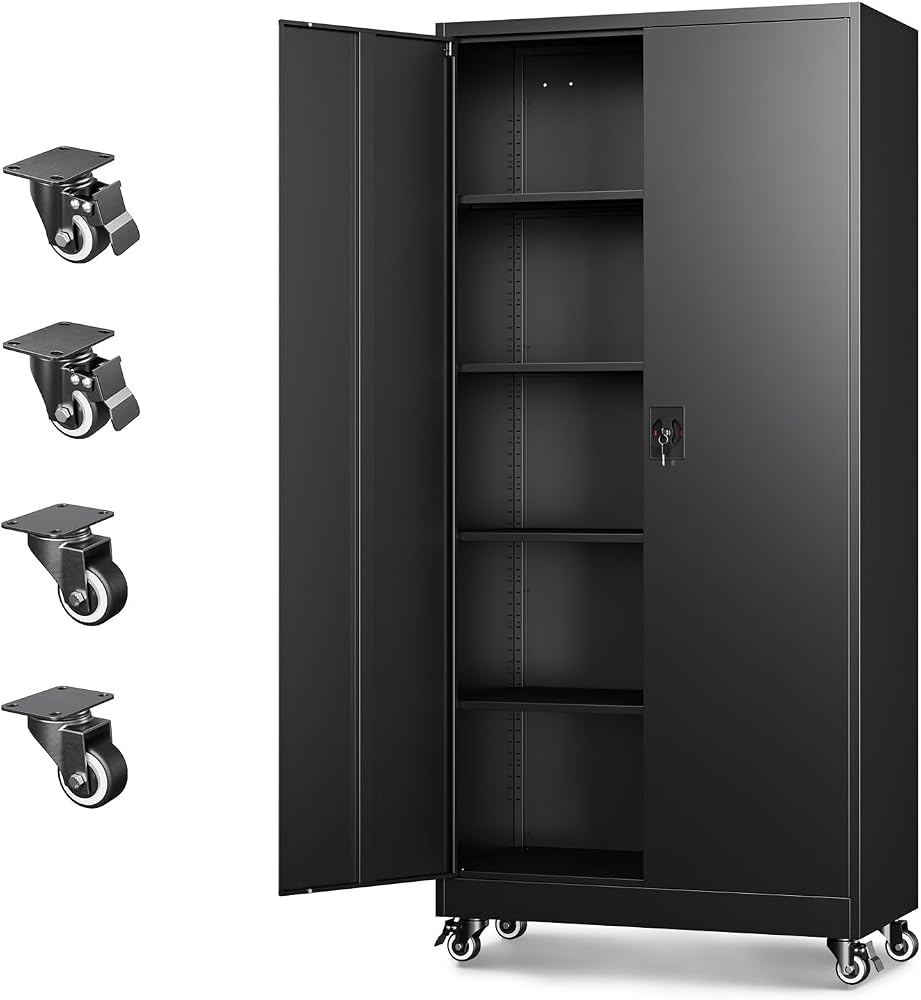
Wheels turn a storage cabinet into a flexible piece of your modular setup. The black steel cabinets from this pick stand about 74 inches tall and roll to wherever you need them, so you can park one beside a workstation today and shift it to a supply corner next quarter without a second thought.
That mobility suits offices and warehouses alike. Shared teams can keep files and supplies close to the work, and a locking door keeps tools or confidential materials secure. Adjustable shelves let you resize storage as your inventory changes.
Customers have rated this cabinet 4.3 out of 5 across 2,115 ratings, and it’s currently in stock.
Mobile storage works best when the hardware gets a little attention. Every few months, wipe dust and grit from the wheels and check that they spin freely. Test the lock and a drop of light lubricant in the keyway keeps it turning cleanly. Also confirm the shelf supports are seated evenly before loading heavier items.
Modular furniture gets used hard, and the first signs of trouble almost always show up at the joints. Catching them early is usually the difference between a quick fix and a full replacement.
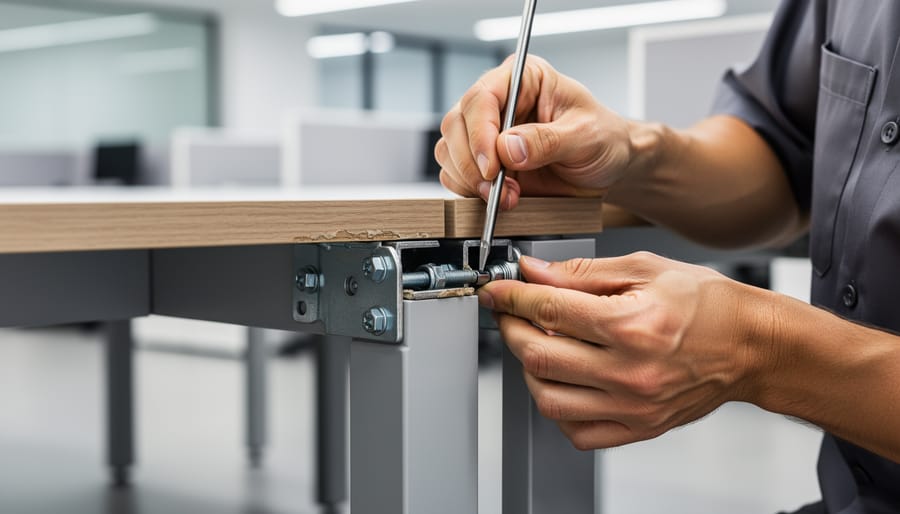
Start with a simple walk-around. Press on a desk surface and listen for creaking or watch for a slight shift, which often points to a loose bracket or a connector that has backed out. Look closely at screw holes, especially where a pedestal or side storage unit attaches. If a screw spins without tightening, the hole is likely stripped. Run your hand along laminate edges and panel seams, too. Chips, lifting corners, and gaps between privacy panels tend to widen over time if nobody addresses them.
Many problems are manageable with a screwdriver and a little patience. A loose bolt just needs snugging up. Bigger issues are a different story: stripped holes in particleboard, cracked brackets, damaged laminate, or panels that no longer sit flush. That’s when a professional on-site repair earns its keep. A skilled technician can reinforce worn holes, refinish damaged surfaces, and realign panel joints right where the workstation stands, so your team keeps working and you avoid the cost and hassle of tearing out an entire setup.
Here’s the kind of outcome we love to share.
A before-and-after image gallery works well here. Picture a workstation with a sagging corner and chipped laminate on the left, then the same unit, solid and clean, on the right. Photos like that show readers what good restoration looks like, and they make a strong case for repairing before replacing.
Most modular office regrets come from a handful of avoidable slips. Spot them early and you’ll save yourself rework, returns, and a few headaches on install day.
Here’s something that surprises many buyers: the budget conversation matters as much as the design one. Basic modular workstations often start around $400 to $800, while commercial systems usually land in the $900 to $2,500+ per seat range, according to Cubicle By Design. Because installation, electrical work, and freight can all move the final number, it pays to ask for the full picture before you commit.
A little upkeep goes a long way, too. Seating and lounge pieces take daily wear, and leather in particular can crack with age. If that happens, you don’t have to replace the whole chair. Learning how to fix cracked leather can keep a good piece in service for years.
The common thread is simple: slow down at the planning stage. A few careful questions now keep your workspace flexible, sturdy, and ready to grow with your team.
It’s a system of interchangeable pieces, such as desk surfaces, privacy panels, storage units, and chairs, that you combine to fit your space and team. Retailers like Best Buy describe the appeal as endless possibilities for customization and organization.
Most use connectors such as brackets, bolts, cam locks, and panel clips to join desk surfaces, side storage, and panels. Cable passthroughs are often built in so wiring stays tidy once the pieces are linked.
Yes, that’s one of the biggest advantages. Many systems offer add-ons, like a 2-person extension on a 4-person desk, so you can grow or reshape the layout without starting over. Just make sure any new pieces use the same connector system as your existing ones.
Cubicle By Design notes that basic modular workstations often start around $400 to $800, while commercial office systems usually land in the $900 to $2,500+ per seat range. Installation, electrical work, freight, and future layout changes can all shift the final project cost.
Tighten loose brackets and bolts early, before wobble stresses the joints. For stripped screw holes, chipped laminate, or worn panel joints, a professional repair is often a smart alternative to replacement and can keep a workstation in service for years.
If a question isn’t covered here, think of it through the same lens used throughout this guide: how well do the components and connectors match your space, your team, and your plans for growth? Answering that clearly before you buy usually prevents the most common headaches later.
Choosing modular office furniture comes down to a handful of decisions that work together. Measure your space first. Check that the connectors are sturdy and easy to reassemble. Look at material and finish durability, plan for cable management, and think about storage and ergonomics. Then factor in installation, freight, and the layouts you might want a year or two from now. Those details shape your total project cost far more than a single sticker price does.
The best approach is to match components and connectors to your space and your growth plans. A system that fits today but can’t expand, or that mixes incompatible connector styles, will cost you more in the long run. Pick pieces you can add to, rearrange, and tighten up as your team or household changes.
Quality modular pieces also last longer when you look after them. A quick check of brackets, bolts, and panel joints now and then keeps small wobbles from becoming big problems. And if a workstation does start to show its age, you don’t always need to replace it. Expert help can often bring it back to solid, good-looking service.
Whatever you build, build it with confidence. Choose well, care for it, and your modular workspace will keep working for you for years.